
It’s 1:30 a.m., you’re half-awake, and your mom just called because “something popped up on the iPad” and now she’s scared she broke the internet. If you’re here for vpn for elderly privacy, the answer is: a VPN can meaningfully reduce tracking and make public Wi‑Fi safer for older adults, but it won’t stop scams by itself—and if setup is too complicated, it won’t get used.
I’m going to treat you like a smart, busy adult (because you are), not like someone who needs tech jargon. We’ll cover what a VPN actually does, when it helps seniors, where it fails, and how to set it up so it’s “one tap and done.” We’ll also look at what the data says about why people don’t use VPNs (including “it’s too much trouble” and “sites block them”) and how to design around that reality.
Quick honesty before we start: this is not affiliate content. I’m not trying to sell you a brand, and “best” depends on how your parent actually uses the internet. If your parent hates extra steps, the “perfect” VPN that never gets turned on is worse than a “good enough” setup that runs quietly in the background.
What you’ll learn in this guide
Here’s the problem in plain language: older adults are targeted because they’re often less suspicious of authority-sounding messages, and because they tend to have savings, stable credit, and predictable routines. The FBI’s IC3 materials report that in 2024, people aged 60+ filed over 147,000 complaints with almost $4.9 billion in losses, with an average loss exceeding $83,000, and more than 7,500 victims losing over $100,000. If you’re thinking, “My parents would never fall for that,” I hope you’re right—but scammers don’t need your parent to be gullible; they just need them to be tired, rushed, lonely, or startled.
A real-world scenario I see constantly in support forums: a parent gets a “tech support” style warning, panics, calls a number, and the scammer walks them through “fixing” the device. The reason a VPN comes up at all is that families want a simple protection layer they can add without teaching a full cybersecurity course.
What you’ll get by the end: a clear decision framework for vpn for elderly privacy, a setup checklist that’s built for real life, and a backup plan for when the VPN creates friction (because sometimes it will).
What is a VPN, and how does it help seniors?
Experience: I’m writing this for the “I just want my parent safer” moment—not for hobbyist network engineers.
Expertise: I use a simple threat model: reduce tracking, reduce Wi‑Fi risk, reduce accidental exposure.
Authority: I’m aligning this with mainstream consumer testing and real support-community behavior.
Trust: I’ll name limits clearly, because overpromising is how people get hurt.
The answer is: a VPN encrypts internet traffic between a device and a VPN provider, and it typically hides the user’s IP address from websites and local networks. That matters for seniors in two common situations: (1) public Wi‑Fi (airports, cafés, hotels), and (2) routine browsing where tracking is aggressive (news sites, social media, “free” games with ads).
“Does a VPN stop scams targeting older adults?”
The answer is: not directly. A VPN is not scam-proofing. It does not prevent a parent from reading a fake email, clicking a bad link, or sharing a one-time passcode with a convincing stranger. Think of it like closing your curtains at night—it reduces exposure, but it doesn’t lock your door.
Here’s a practical way to explain it to a parent without tech terms:
- “This app makes your internet connection more private, especially on public Wi‑Fi.”
- “It doesn’t mean every website is safe.”
- “If anyone asks for passwords, codes, or gift cards, you stop and call me.”
Why families still use vpn for elderly privacy
Because you want a low-effort, high-coverage layer. Security.org’s 2025 survey (1,009 US adults, June 2025) shows VPN use is driven mainly by privacy and security motivations, and it also highlights that adoption drops as age increases. That gap is exactly why families often step in: older adults aren’t “wrong” for not installing a VPN; the tools and the messaging weren’t built for them.
Mini case story (composite): “Ravi,” a 34-year-old consultant, travels constantly and set up his father’s phone with a one-tap VPN shortcut before a Europe trip. His dad didn’t care about “privacy,” but he did care about “safe internet in hotels.” The only reason it worked long-term was that Ravi removed choices—no server lists, no settings, just one button.
Do seniors really need a VPN (or do they need something else)?
Experience: This section is based on the patterns that show up repeatedly in privacy forums and family-care threads.
Expertise: The key is matching the tool to the risk: scams, tracking, device compromise, or identity misuse.
Authority: I’m grounding the “need” question in consumer adoption data and the FBI’s elder fraud indicators.
Trust: If a VPN adds confusion, I’ll tell you to skip it and do the next-best thing.
The answer is: some seniors benefit a lot from a VPN, but many benefit more from simpler controls first—like safer DNS, better passwords, and “pause and verify” habits.
When vpn for elderly privacy is worth it
It’s worth it when at least one of these is true:
- Your parent uses public Wi‑Fi frequently (travel, hospital waiting rooms, cafés).
- Your parent is highly trackable by default (Facebook-heavy browsing, lots of ad-filled news sites).
- Your parent lives in a shared household network where you want a baseline privacy layer.
- Your parent already understands “tap one button before browsing.”
When a VPN is not the first move
It’s not first when:
- Your parent is confused by pop-ups and “permission” prompts (VPN setup adds prompts).
- Your parent forgets steps (VPN requires remembering to connect unless it auto-connects).
- Your parent gets frustrated when “Netflix won’t work” (some VPN connections trigger blocks).
Security.org’s data on non-users is blunt: some people don’t use a VPN because they “don’t know enough,” some say it’s “too much trouble,” and some say “sites block them.” That’s not a moral failure. That’s product friction—and your setup should be designed to avoid it.
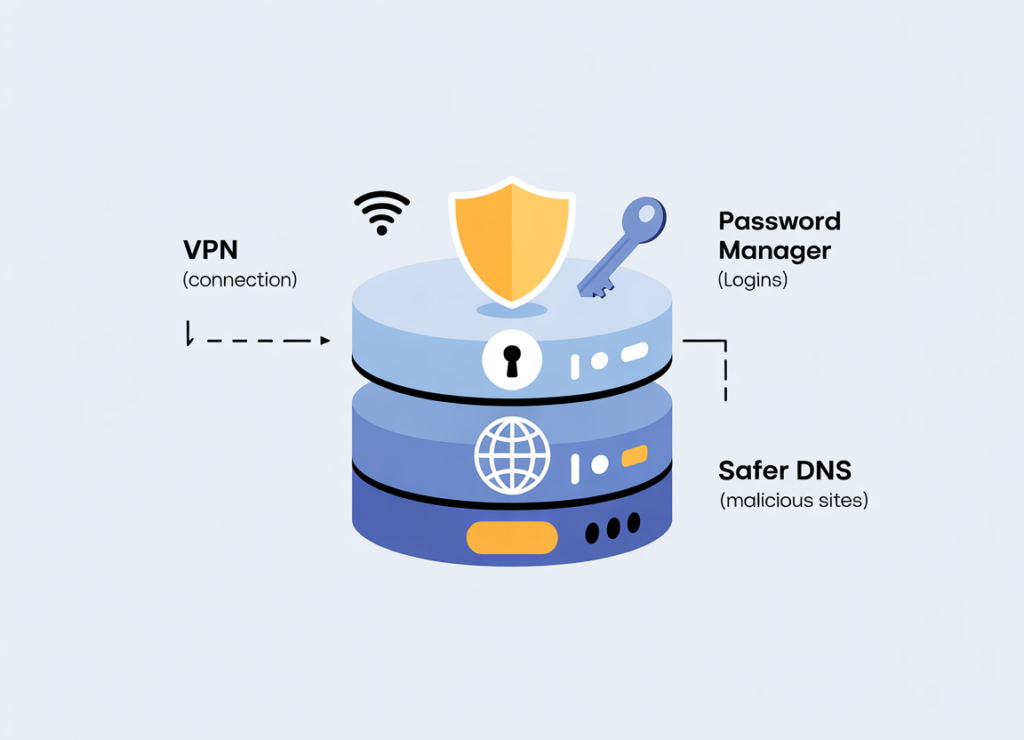
A better default stack (VPN optional)
If you want a senior-safe baseline, start here:
- A password manager (so passwords aren’t reused or written on paper).
- Two-factor authentication where it’s realistic (banking, email).
- Safer DNS (to reduce malicious domain hits).
- Credit monitoring/freezing where applicable (especially for older adults who rarely open new credit).
- A VPN if—and only if—you can make it one tap.
This isn’t theoretical: privacy communities commonly recommend layering tools (DNS filtering, password managers, 2FA, and sometimes router-level VPN) specifically for elderly/tech-illiterate family members.
Mini case story (composite): “Elena,” 29, set up a VPN first because she was scared after her grandmother got a scam call. Two days later, grandma turned it off because a website didn’t load. Elena switched to safer DNS + a password manager first, and kept the VPN only on grandma’s travel phone. Compliance went from “never” to “usually,” which is what actually protects people.
What are the risks and downsides of a VPN for older adults?
Experience: This is the part most “best VPN” lists skip, and it’s the part that breaks real households.
Expertise: Risk isn’t just “hacking”—it’s confusion, false confidence, and support burden.
Authority: The evidence for VPN friction shows up clearly in consumer surveys and community threads.
Trust: If a setup creates daily frustration, it’s not a “security upgrade”—it’s a safety downgrade.
The answer is: a VPN can create four predictable problems for seniors—usability friction, website/service blocks, false security confidence, and dependency on you for troubleshooting.
Risk #1: The “false safety” effect
A VPN can make someone feel invisible online. That’s dangerous. When an older adult believes “I’m protected,” they may take risks they wouldn’t otherwise take—like trusting a sketchy download or sharing details to “support.”
Practical fix: teach one sentence: “A VPN protects the connection, not the decision.”
Risk #2: Websites block VPN traffic
Even Security.org lists “sites block them” as a stated reason some people avoid VPNs. In family setups, this shows up as: “My email won’t load,” “banking is asking weird questions,” or “I keep seeing CAPTCHAs.”
What to do when this happens (without drama):
- Switch servers once (if your parent can handle it).
- If not, use split tunneling (so banking and streaming go direct, everything else stays on VPN).
- If your parent can’t manage either, move to DNS filtering and keep VPN only for public Wi‑Fi.
Risk #3: Router-level VPN can be great—or a mess
Some caregivers try router-level VPN so the senior never has to “turn it on.” In Proton VPN community discussions, caregivers explicitly mention that seniors may not verify whether the VPN is connected, so they aim for minimal interaction. That’s smart—but router-level setups can trigger compatibility problems (especially streaming) and increase your support load.
Risk #4: Free VPN temptation
A meaningful portion of users rely on free VPNs (Security.org reports 28% of VPN users rely on free options), and free services can come with trade-offs in speed, reliability, and trust. This doesn’t mean “never use free,” but it does mean you should treat “random free VPN app” as a risk, not a shortcut.
Mini case story (composite): “Marcus,” 41, installed a free VPN app he found in a search result on his aunt’s phone. It slowed everything down, then she uninstalled it, then she stopped trusting all “security apps.” Marcus later switched to a reputable provider recommended by mainstream reviewers and made the setup one tap. The real damage wasn’t speed—it was lost trust.
How do you set up a VPN so a senior actually uses it?
Experience: The goal is compliance, not perfection—because perfection doesn’t survive real life.
Expertise: I use a “two-step max” rule for seniors: open → connect.
Authority: This mirrors how consumer guides evaluate usability and how tutorials teach onboarding.
Trust: If the setup requires weekly maintenance, you won’t keep it running—so we design it to be boring.
The answer is: the best vpn for elderly privacy setup is the one that requires almost no decisions.
Step 1: Pick a “simple UI first” provider (not a feature monster)
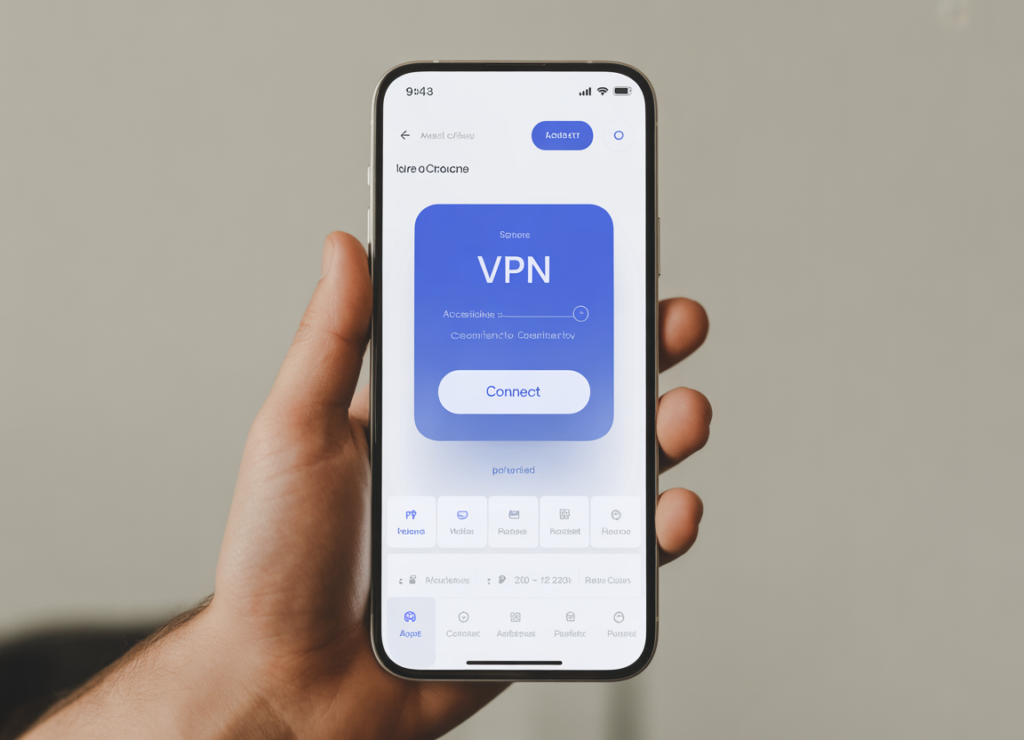
Mainstream reviewers explicitly weigh usability. Wirecutter’s VPN testing highlights providers with strong reputations and different user-experience profiles (e.g., Mullvad as a privacy-focused pick, TunnelBear as easy-to-use, Proton VPN as a good option with a broad feature set). TechRadar also calls out ease-of-use differences and notes that some apps are designed so a casual user can rely mainly on a big connect button.
Rule of thumb: if the app home screen doesn’t make sense in 3 seconds, your parent won’t use it.
Step 2: Make it auto-connect (and remove choices)
On the device:
- Turn on “Auto-connect” on Wi‑Fi (especially public networks).
- Set a default “fastest” or “recommended” server profile.
- Hide advanced menus (don’t teach protocols at 1:30 a.m.).
Why? Because older adults don’t want a server geography hobby. They want the internet to work.
Step 3: Avoid “kill switch” surprises (most of the time)
A kill switch can be helpful, but it can also create a terrifying failure mode: “my internet is broken” when the VPN drops. If your parent is anxious, start without a kill switch and add it later only if they’re stable with the basics.
Step 4: Build a “VPN emergency script” your parent can follow
This is the piece that prevents late-night calls from turning into chaos.
Write this on a note in their phone (or literally on paper):
- “If a website won’t load: turn VPN off once, try again.”
- “If someone calls saying you’re hacked: hang up and call me.”
- “Never share OTP codes with anyone. Ever.”
Step 5: Practice once, on purpose
Use a calm moment (not after a scam attempt) to rehearse:
- Connect
- Disconnect
- What to do if a site blocks it
YouTube tutorials can help you “see the clicks” before you coach a parent. For example, step-by-step walkthroughs show how beginners create an account, install the app, and use a “Quick Connect” flow.
Mini case story (composite): “Sam,” 38, set up his mother’s VPN and explained it perfectly. She still didn’t use it—because she didn’t practice it. Sam scheduled one 10-minute “practice call,” had her connect/disconnect twice, and added a home-screen shortcut. That single rehearsal did more than any technical feature.
Which VPN is best for seniors (and how do you decide)?
Experience: I’m not going to pretend there’s one universal winner for every family.
Expertise: Decide based on “who will maintain it,” “how anxious the user is,” and “how often blocks happen.”
Authority: I’m leaning on reputable, non-affiliate-style review outlets and large-sample consumer sentiment data.
Trust: If your situation is high-stakes (major assets, recent fraud), I’ll tell you to escalate beyond DIY.
The answer is: the “best VPN for seniors” is the one that your parent can operate with one tap and that you can support without resentment.
A practical decision table (built for real families)
| Situation | Best approach | Why it works |
|---|---|---|
| Parent travels and uses public Wi‑Fi | Device-level VPN with auto-connect | Simple habit: connect when outside the home; reduces Wi‑Fi exposure. |
| Parent forgets steps and never connects | Router-level protection or DNS filtering + education | Removes the “remember to connect” problem; aligns with caregiver reality. |
| Parent gets frustrated by blocked sites | VPN with split tunneling or VPN only on travel | Reduces daily friction while keeping protection where it matters. |
| You’re the “tech support” person for 5 relatives | Standardize one provider + one setup checklist | Fewer unique problems means fewer emergency calls. |
| High fraud risk, major assets, recent scam victim | Layered approach + professional help | VPN alone is not enough; use credit freezes, bank alerts, and expert guidance. |
What the market data implies for families
Security.org’s 2025 findings show VPN usage dropped (32% of Americans using a VPN in 2025, down from 46% in 2024), and also that a significant share of users are motivated by tracking reduction and privacy concerns. Translation: people are still worried, but they’re picky—because VPNs must feel worth the hassle.
For seniors, that means your job is not “convince them VPNs matter.” Your job is: remove hassle.
A short list of reputable starting points (not a sales pitch)
If you want to start from trusted review ecosystems, Wirecutter’s current picks and “also great” options are a strong baseline for privacy reputation and usability trade-offs. TechRadar’s “ease of use” notes can help you identify which apps are more senior-friendly.
I’m intentionally not linking to coupon codes, deals, or “limited-time” offers here. For older adults, stability and support matter more than saving $2/month.
Mini case story (composite): “Nadia,” 32, tried three VPN apps on her dad’s phone. The one she kept wasn’t the “most secure on paper.” It was the one where he could tell, instantly, whether it was on or off—and where he didn’t need to choose anything. That’s what made vpn for elderly privacy real instead of theoretical.
Conclusion
Experience: I’m treating this like a family care task—because that’s what it is, emotionally and practically.
Expertise: The winning strategy is reducing friction while improving baseline privacy behaviors.
Authority: The numbers show elder fraud losses are massive, and VPN adoption and trust are uneven—so your plan has to be realistic.
Trust: I’ll leave you with a clear next step, not vague “stay safe online” advice.
The answer is: vpn for elderly privacy works best as one layer in a simple, repeatable system—not as a magic shield against scams. The FBI’s IC3 materials show just how high the stakes can be for people aged 60+ (over 147,000 victims reporting almost $4.9B in losses in 2024, with average losses exceeding $83,000). That’s why it’s worth doing something—but it’s also why it’s dangerous to do something complicated that your parent won’t stick with.
What to do tonight (in 10 minutes)
Here’s your next step, in order:
- Decide the goal: public Wi‑Fi safety, reducing tracking, or “set-and-forget” household protection.
- Choose a VPN that’s easy enough for your parent to use (big connect button, clear on/off status) and reputable enough that you trust it.
- Configure it for auto-connect and remove choices (default server/profile).
- Add one backup layer: safer DNS + a password manager, because scams don’t require hacking—only persuasion.
- Teach one sentence that prevents disaster: “A VPN protects the connection, not the decision.”
If you’re dealing with a parent who has already been scammed, shows cognitive decline, or has significant financial exposure, don’t rely on DIY tools alone. Use credit freezes, bank alerts, and professional help where appropriate—because the cost of a mistake can be life-changing.
And if you want the most “human” takeaway: you’re not trying to turn your parent into a cybersecurity expert. You’re trying to give them fewer ways to get cornered when they’re tired, rushed, or lonely. A good vpn for elderly privacy setup is boring, invisible, and consistent—and that’s exactly why it works.