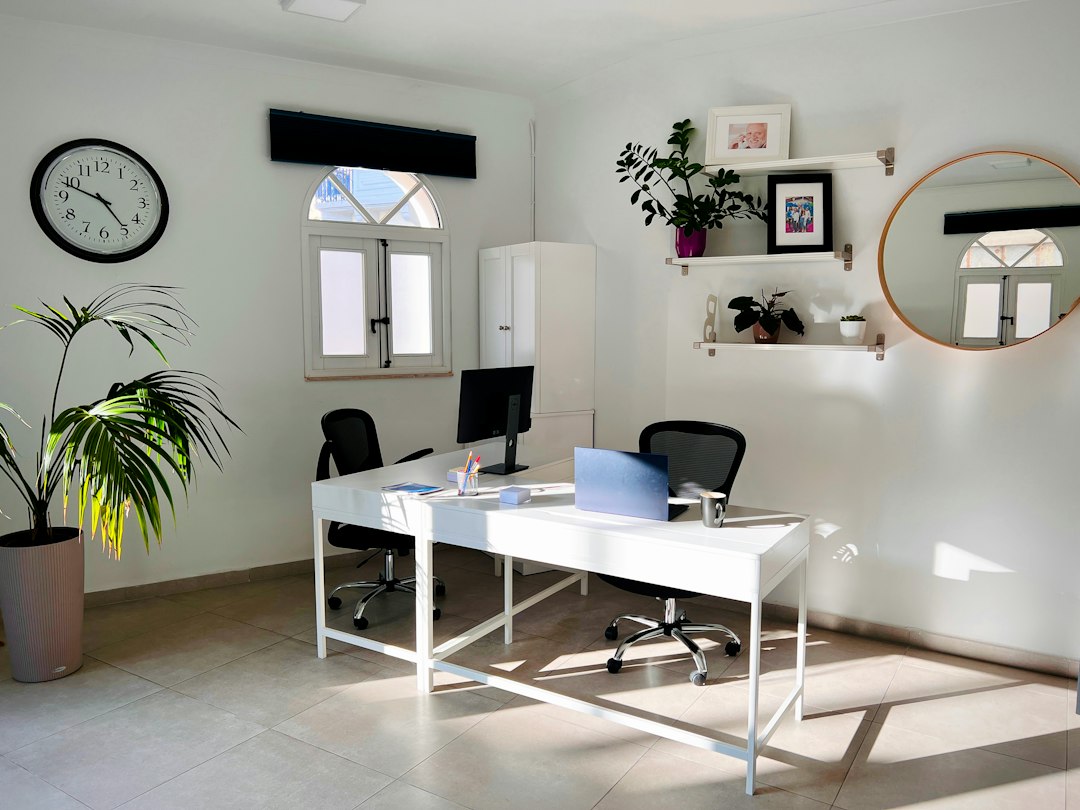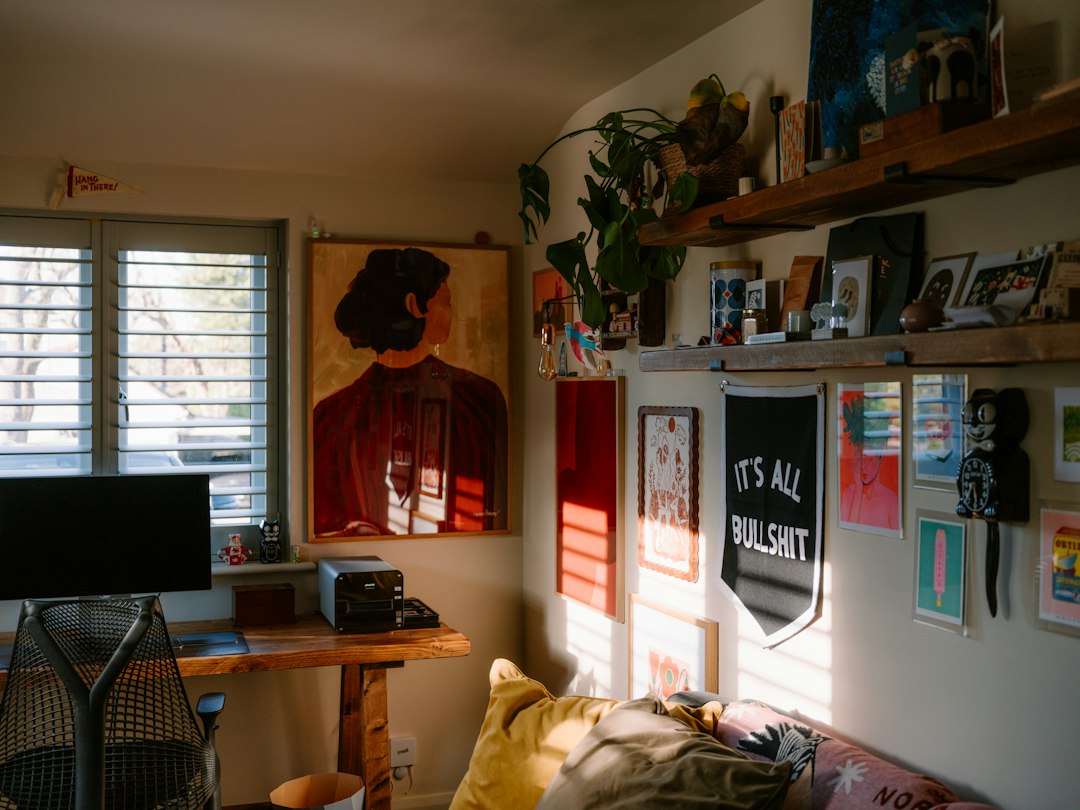
When two remote work schedules collide in a single spare bedroom, the result is rarely effortless harmony. More often, it looks like tangled charging cords, competing Zoom calls, and a slow, territorial creep across the center of the desk. Sharing a workspace with a spouse, partner, or roommate tests both your professional focus and your personal patience.
Creating a high-functioning shared home office doesn’t require knocking down walls or buying duplicate executive suites. It requires intentional spatial design, clear acoustic boundaries, and mutually agreed-upon systems. When organized properly, a double workspace can boost accountability, keep your workday structured, and protect your evenings from work-from-home burnout.
Key Takeaway: A successful shared workspace hinges on "zoned independence"—giving each person complete ownership over their physical tools, ergonomic setup, and visual territory, while streamlining shared resources like printers and storage.
1. Strategic Room Layouts for Two Workstations
Before purchasing furniture, you must determine how your desks interact with the room’s dimensions, natural light sources, and traffic flow. The ideal layout depends heavily on whether your daily tasks involve intensive solo focus, frequent client phone calls, or active creative collaboration.
The Face-to-Face (Partner Desk) Layout
Placing two desks front-to-front in the center of the room creates an open, collaborative feel reminiscent of traditional design studios. This configuration keeps walls free for bookshelves and filing cabinets, while maximizing floor space in square rooms.
- Best for: Couples or partners who collaborate frequently and do not spend their entire day on simultaneous video meetings.
- Watch out for: Direct eye contact during intense concentration, which can feel distracting. A low monitor shelf, a row of potted plants, or an acoustic desk divider down the middle solves this instantly.
The Back-to-Back Layout
Positioning desks against opposite walls with your backs facing each other is the gold standard for independent focus. In a shared home office, this orientation immediately eliminates visual distractions and keeps dual computer screens hidden from each other's peripheral vision.
- Best for: High-focus solo workers, coders, writers, and individuals handling sensitive client data.
- Watch out for: Video backgrounds. Make sure your partner’s head isn’t popping up behind you on important client calls by angling your webcams slightly outward or using subtle virtual background settings.
The Side-by-Side (L-Shaped or Linear) Layout
If your room is long and narrow, running one continuous wall-length desk or two matching tables along a single perimeter wall is often the only viable choice. To prevent clutter and elbow clashes, ensure there is at least 36 to 48 inches of dedicated desktop space per person, separated by a neutral zone such as a shared drawer bank or vertical shelving unit.
If you're dealing with tight square footage, exploring small space organization hacks can help you reclaim valuable floor space around your perimeter.
2. Tackling the Noise: Sound Management & Call Etiquette
Noise pollution is the number one cause of friction in a dual workspace. When two people type, take meetings, and pace the room simultaneously, cognitive fatigue sets in fast.
Acoustic Dampening That Actually Works
Sound bounces off hard, flat surfaces like drywall, hardwood floors, and glass windows. You do not need to install studio foam wedges to notice a dramatic drop in room echo. Instead, layer soft textures strategically:
- High-pile area rugs: Lay a plush rug with a dense felt pad beneath both desk chairs to swallow wheel noise and footfalls.
- Heavy velvet or thermal drapes: Framing windows with dense fabric dampens outdoor street noise and traps interior reverb.
- Felt or fabric pinboards: Mount large bulletin boards directly behind your monitors. They serve double duty as vision boards and sound absorbers.
Active Noise Control Hardware
Relying solely on physical dampening is not enough during overlapping meetings. Both workers should invest in dedicated active noise-canceling (ANC) headphones paired with unidirectional boom-microphone headsets. Directional microphones isolate vocal frequencies while filtering out the ambient chatter occurring just three feet away.
The Daily Schedule Sync
Spend two minutes every morning reviewing your calendar with your desk mate. Identify overlapping meeting slots early so one person can plan to take their high-stakes presentation from the dining table, kitchen island, or a comfortable secondary armchair.
3. Ergonomics and Cable Management for Two
A functional shared home office must support two distinct body types. Forcing a 5'3" person and a 6'2" person to share identical non-adjustable desk heights inevitably leads to neck strain, lower back discomfort, and slouched posture.
Investing in independent, height-adjustable dual motor standing desks or fully customizable ergonomic task chairs ensures both individuals work within healthy posture angles. Setting up your monitors, keyboard trays, and seat depth correctly is critical—guidelines from Healthline's workplace ergonomics guide emphasize keeping elbows at a 90-degree angle and positioning the top third of your display directly at eye level to prevent chronic repetitive strain.
The Shared Cable Nightmare (And How to Fix It)
Doubling the hardware means double the power bricks, HDMI cords, monitor cables, and phone chargers. Without a system, the space under your desks becomes a dust-collecting hazard.
- Under-Desk Cable Trays: Mount horizontal wire trays beneath each desk surface to hold power strips and power bricks off the floor.
- Single-Cable USB-C Hubs: Use docking stations so that each laptop connects to external dual monitors, keyboards, and webcams through a single cable plug.
- Velcro Wraps and Cable Sleeves: Bundle power cords descending to the wall outlet into a clean neoprene sleeve. Avoid plastic zip ties, which make swapping out gear a headache.
If you're upgrading other areas of your home, check out our guide on streamlined home technology setups for more cord-hiding inspiration.
Key Takeaway: Clean visual lines reduce mental clutter. Keeping cords elevated off the floor not only protects expensive electronics but also makes weekly vacuuming and dusting effortless.
4. Storage Systems: The "Yours, Mine, and Ours" Rule
Clutter accumulates when items don't have an unquestioned, intuitive home. In a shared home office, storage disputes arise when personal notebooks, charging dongles, and project files mix together indiscriminately.
Personal Storage Zones ("Yours" and "Mine")
Each person must have one dedicated mobile pedestal, filing drawer, or desktop organizer that is strictly off-limits to the other. Whether you prefer color-coded folders or a minimalist drawer tray, this space belongs entirely to you. Resist the urge to police how your office-mate organizes their personal drawer.
Communal Resource Station ("Ours")
Place shared equipment in a central, neutral location accessible without stepping into either person’s immediate desk perimeter. This includes:
- Network printers and paper supplies
- Label makers, staplers, and bulk pens
- Shared reference books and household filing systems
- Central charging docks for shared family tablets
Consider integrating a vertical shelving unit between your desks or against a neutral wall. Applying thoughtful decluttering and storage routines ensures communal surfaces stay tidy without daily arguments.
5. Establishing Healthy Co-Working Boundaries
Physical organization sets the stage, but behavioral organization keeps the peace. When you share a workspace with a housemate, the line between casual conversation and focused deep work easily blurs.
The Visual "Do Not Disturb" Signal
Constant micro-interruptions derail complex analytical tasks. Establish a clear visual cue that signals deep focus. For many couples, putting on over-ear headphones means: "Unless the house is on fire, save the question for later." Alternatively, a subtle desk light or flipping an index card from green to red provides an unmistakable signal without awkwardness.
End-of-Day Shutdown Ritual
When working from home, it's easy to let office clutter bleed into your evening relaxation time. Dedicate the final five minutes of every workday to a joint reset:
- Return stray coffee mugs to the kitchen.
- File loose papers away into personal drawers.
- Tuck chairs beneath desks and wipe down surfaces.
- Power down external displays so the room visually shifts into evening mode.
Take Action Today: The 15-Minute Shared Space Audit
Transforming your workspace doesn't require a weekend-long overhaul. You can make an immediate, noticeable upgrade today in just fifteen minutes with your office partner:
- Grab a laundry basket: Walk through the room together and remove every item that does not directly support your current work projects (clean laundry, stray packages, unused gym gear).
- Clear the floor: Gather dangling cables and temporarily secure them with twist ties or velcro straps off the carpet.
- Set tomorrow's schedule: Compare your meeting schedules for the next business day and designate who has priority in the room during overlapping call windows.
A well-maintained shared home office is not about rigid perfection—it's about creating an intentional environment where both of you can do your best work without getting in each other's way.

Written by
Nibedita Basu
English graduate and social worker with a passion for creating a warm, happy, and meaningful life. I write about Home, Food, and Pets — sharing practical ideas, everyday inspiration, and simple joys that make life more comfortable, wholesome, and fulfilling.